CUSTOM TECHNOLOGY CONSULTANTS
YOUR LOCAL IT ENGINEER | VETERAN VOICE | CYBERSECURITY | STRATEGY
WHY THE LATE-SUMMER SPORTS CRUNCH MATTERS FOR YOUR OFFICE: Keeping Your Systems Running Smoothly
By CHUCK MOORE | Principal Engineer, CTC Published: August 26, 2026
LAS VEGAS, NV — Let’s strip away the tech jargon completely. No complicated acronyms, no confusing computer talk—just plain English about your workplace.
Right now, late August brings one of the busiest times on the sports calendar. Between college football kicking off, NFL preseason wrapping up, the US Open tennis tournament starting, and Major League Baseball pushing toward the playoffs, millions of people are tuning in to watch live games.
Live Sports on TV Today
When employees stream live events or check scores on office equipment during the day, it puts a real strain on your building’s internet and hardware.
Here is a simple look at what happens behind the scenes—and how to keep your office fast and secure without ruining everyone’s fun.
1. What Happens When Everyone Streams at Once
Think of your office internet line like a water pipe coming into your building:
  Normal Day:
  Work Emails + File Downloads ──> Clear Water Pipe ──> Fast Internet Speed ✅

  Big Game Day:
  Multiple Video Streams + Downloads ──> Clogged Water Pipe ──> Slow, Frozen Systems ❌
- Internet Slowdowns: Video streams use a massive amount of internet data. When several people stream games at the same time, your everyday office work (like sending invoices or processing customer payments) gets stuck in line.
- Security Risks: When staff look for quick ways to watch games online, they often land on unsafe, free streaming websites that can accidentally download harmful software onto company computers.
- Device Overheat: Keeping high-definition video running on older laptops all day drains batteries fast and makes computer fans run at full speed, causing hardware to wear out sooner.
2. Three Simple Ways to Protect Your Office This Week
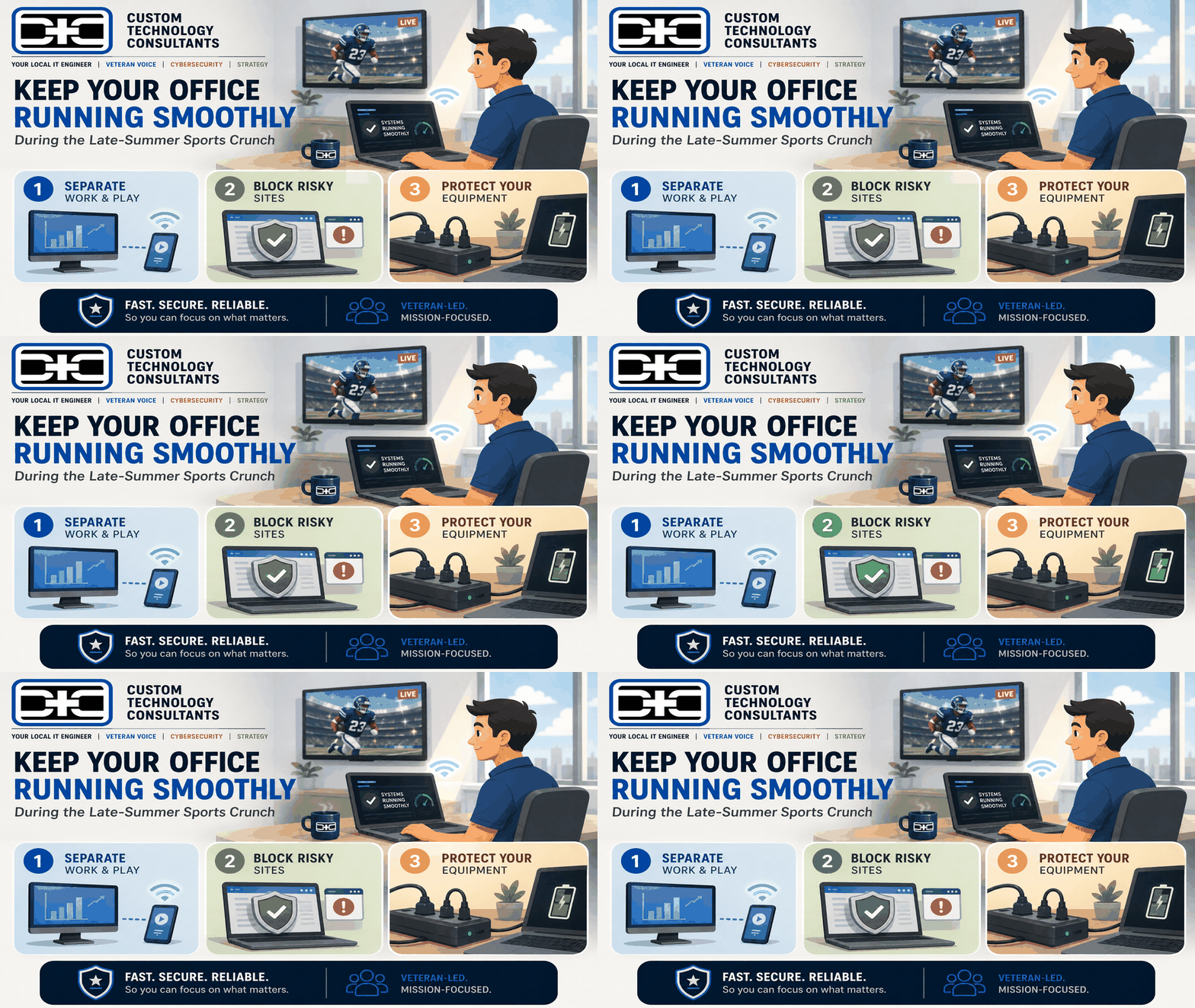
You don’t need expensive equipment or strict rules to solve this. You just need three easy steps:
1
Set Up a Guest Wi-Fi Line
Step 1: Separate Networks
Put personal phones and tablets on a separate guest Wi-Fi network so personal streaming never slows down your main business computers.
2
Filter Unsafe Websites
Step 2: Basic Blocking
Use basic internet filters to block sketchy, pop-up streaming sites while keeping trusted, main television networks open.
3
Keep Computers Plugged In Safely
Step 3: Power Safety
Make sure extra monitors and chargers are plugged into grounded surge strips instead of crowded wall outlets to prevent circuit trips.
Comparing Old vs. New Office Setups
| Office Feature | The Unprotected Office | The Modern, Safe Office |
|---|---|---|
| Wi-Fi Setup | Everyone shares one main password | Staff work on one network; personal devices use Guest Wi-Fi |
| Video Streams | Unregulated streaming slows down work | Main work connections stay fast and prioritized |
| Web Safety | Anyone can open any link or website | Dangerous pop-up websites are automatically blocked |
| Power Hardware | Overloaded extension cords | Clean surge protectors on all desks |
Plain-English Leadership for Business Owners
At Custom Technology Consultants, we speak plain English. We help business owners fix slow networks, protect company files, and keep office equipment running without the confusing technical talk.
With offices in Las Vegas, NV and Clearwater, FL, our veteran-led engineering team works as your dedicated Fractional CTO partner. We make sure your office technology stays simple, safe, and fast every single day.
WANT TO SPEED UP YOUR OFFICE NETWORK?
Contact Custom Technology Consultants today to schedule a FREE Office Network & Safety Review.
📞 Call or Text: 702-209-0252
📧 Email: [email protected]
🌐 Web: www.getcustomtech.com
EDITOR’S NOTES & SOURCES
- Our Mission: CTC brings clear, simple technical leadership to growing businesses without expensive executive payrolls.
- Late-Summer 2026 Sports Scene: Data reflects peak sports viewership trends across August 2026, including college football openers, tennis grand slams, and major league baseball races.Live Sports on TV Today
- No-Jargon Guarantee: All CTC reviews are explained in plain language so you always understand what you’re paying for and why.