CUSTOM TECHNOLOGY CONSULTANTS
YOUR LOCAL IT ENGINEER | VETERAN VOICE | CYBERSECURITY | STRATEGY
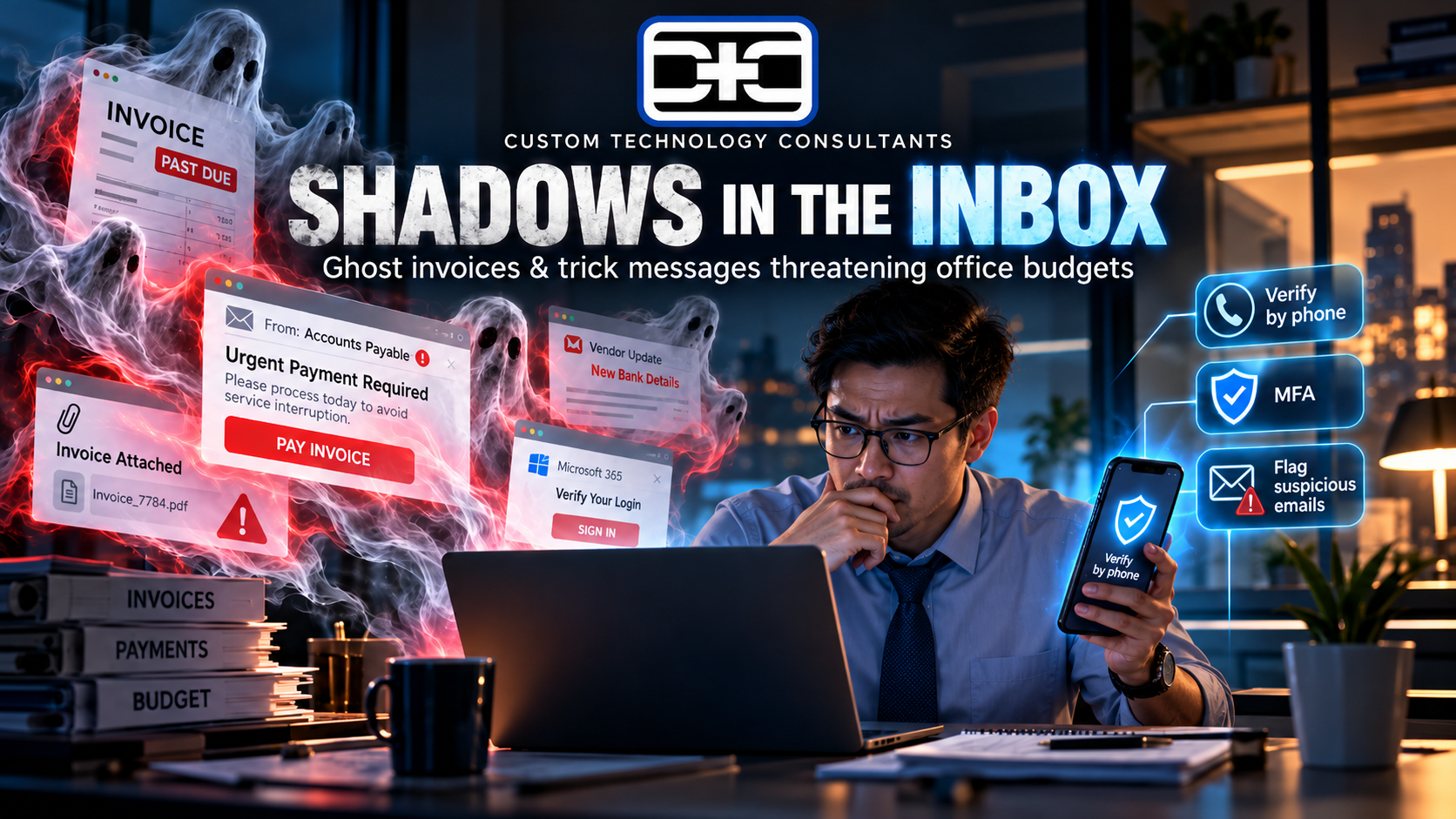
SHADOWS IN THE INBOX: Why October’s Wave of “Ghost Invoices” and Trick Messages Is Threatening Office Budgets
By CHUCK MOORE | Principal Engineer, CTC Published: October 31, 2026
LAS VEGAS, NV — As October comes to a close, safety researchers are pointing out a troubling seasonal trend: online tricksters are taking advantage of busy fall schedules to send convincing “ghost invoices” and fake account warnings to local offices.
According to industry findings released this week, nearly 70% of business file leaks start when an employee clicks a single deceptive link. Bad actors use automated tools to create fake messages that look exactly like routine utility bills, software renewal notices, or executive requests, tricking staff into sending payments or sharing sign-in details.
The warning is particularly important for growing businesses in Nevada and Florida. When staff are rushing to finish quarterly goals, an email demanding “immediate account verification” can look completely real—until private company funds or client records disappear.
The message for business owners is simple: keeping your company safe doesn’t require fear—it just requires simple, clear rules for how your team double-checks unexpected financial requests.
1. Why Trick Messages Slip Past Standard Office Filters
When deceptive messages mimic everyday office tools, relying on staff to guess what is real creates major operational risks:
  Unmonitored Email Setup:
  Unverified Wire Requests  -  Accidental Clicks on Fake Links  -  Exposed Office Accounts

  Guided Office Operations:
  Two-Step Payment Rules  -  Protected Sign-In Shields  -  Safe & Reliable Workdays
- Fake Vendor Invoices: Intruders send fake payment updates asking your accounting team to update bank details for routine office supplies.
- Urgent Manager Messages: Scammers impersonate company leadership over email or text, asking staff to bypass normal approval steps for an “urgent task”.
- Lookalike Sign-In Pages: Fake links take staff to realistic login screens designed to steal company passwords and access client lists.
2. Three Easy Steps to Keep Hidden Tricks Out of Your Office
Protecting your office records doesn’t require confusing jargon. Follow these three practical steps to keep your company safe:
1
Always Verify Payment Changes by Phone
Step 1: Phone Verification
Require staff to call vendors at a known, trusted phone number before changing bank details or sending wire payments.
2
Turn On Extra Login Checks Everywhere
Step 2: Sign-In Shields
Require a quick phone code (multi-factor check) whenever staff log in to company email or financial accounts.
3
Give Staff a Simple Way to Flag Odd Messages
Step 3: Easy Reporting
Encourage employees to double-check strange emails with leadership right away without fear of slowing down work.
Comparing Unchecked Mailboxes vs. Guided Office Setup
| Office Safety Standard | Unmanaged Setup | Guided Setup (CTC Model) |
|---|---|---|
| Payment Approvals | Single staff member can send money | Required two-step phone check for transfers |
| Account Logins | Simple passwords open to theft | Required extra login phone codes (MFA) |
| Staff Guidelines | No clear rules on spotting fake links | Simple rules for handling office email |
| Daily Operations | High risk of sudden financial loss | Safe, organized work environment built to grow |
Technology makes running a business fast and convenient, but your staff shouldn’t have to guess whether an urgent email is real or fake. Setting up simple payment verification and turning on extra login checks ensures your company stays completely protected year-round.
— Chuck Moore, Principal Engineer at CTC
Plain-English IT Leadership for Local Business Owners
At Custom Technology Consultants, we help local business owners secure office email, eliminate tech headaches, and protect company records without confusing jargon.
With offices in Las Vegas, NV and Clearwater, FL, our veteran-led engineering team acts as your dedicated Fractional CTO partner. We make sure your workstations, staff logins, and company files remain completely protected against daily operational risks.
WANT TO CHECK YOUR EMAIL SAFETY & SECURE YOUR OFFICE LOGINS?
Contact Custom Technology Consultants today to schedule a FREE Infrastructure & Security Review.
📞 Call or Text: 702-209-0252
📧 Email: [email protected]
🌐 Web: www.getcustomtech.com
EDITOR’S NOTES & SOURCES
- Our Mission: CTC brings practical technical leadership and risk management to growing businesses without expensive executive payrolls.
- October 2026 Industry References: Information derived from published cybersecurity advisories regarding small business phishing trends, payment redirection risks, and account protection best practices.