CUSTOM TECHNOLOGY CONSULTANTS
YOUR LOCAL IT ENGINEER | VETERAN VOICE | CYBERSECURITY | STRATEGY
HIDDEN OFFICE ASSETS: New Data Shows Most Businesses Cannot Protect What They Don’t Track
By CHUCK MOORE | Principal Engineer, CTC Published: October 15, 2026
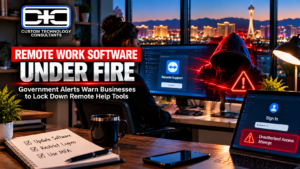
LAS VEGAS, NV — Look closely at the image above. It shows a focused, organized workspace: a clean multi-screen setup tracking business data, backed by a clear view of the Las Vegas Strip skyline. The small desk companion represents a well-managed business tool—properly configured, fully logged, and working smoothly in the background.
This organized setup is what every business owner aims for. Yet, recent industry findings expose a major disconnect in how commercial companies handle their office technology.
According to global research from Honeywell Technologies, an overwhelming 88% of business leaders feel confident in their company security setups. However, when researchers inspected those same businesses, only 21% had an accurate, complete list of the actual computers, tools, and equipment connected to their network.
This creates a serious false sense of security. You cannot lock down equipment if you don’t know it exists. The cost of this oversight is steep: 1 in 5 companies reported lost sales and cleanup costs exceeding $100,000 per hour when unmonitored office systems crashed.
1. Why Missing Equipment Lists Cause Unexpected Office Downtime
When leadership lacks a clear list of connected workplace tools, minor technical issues quickly snowball into costly disruptions:
  The False Security Risk:
  Untracked Laptops & Devices  -  Unexpected System Crashes  -  $100k+/hr Downtime Costs

  Guided Office Setup (CTC Model):
  Complete Equipment Inventory  -  Verified Account Sign-Ins  -  Predictable Workday Operations
- Unmonitored Laptops & Tools: Personal phones, extra office laptops, or unapproved online apps used by staff create hidden openings into your private business files.
- The High Cost of Reactive Fixes: Companies that wait for hardware to break before calling for help spend far more money and lose days of productive worktime.
- Third-Party Partner Risks: Old office equipment or outdated software connected by outside suppliers can expose your main customer database if left unmonitored.
2. Three Easy Steps to Track & Protect Your Office Systems
Getting full control over your workplace technology doesn’t require confusing jargon or a massive budget. It requires simple, disciplined steps. Follow these three practical rules:
1.List Every Workstation, App & Device:Step 1: Complete Inventory.Build a complete list of every laptop, office printer, phone system, cloud program, and server closet used across your business.
2.Separate Guest Devices from Main Files:Step 2: Restricted Access.Set up basic access rules so guest Wi-Fi users and non-essential office devices cannot view your client records, accounting files, or company databases.
3.Set Up Automatic Alerts for Unknown Devices:Step 3: Ongoing Checks.Replace once-a-year IT checks with active system alerts that automatically flag new or unknown devices the moment they log onto your office network.
Comparing Unmanaged Overconfidence vs. Guided Business Infrastructure
| Office Safety Indicator | Unmanaged Setup | Guided Setup (CTC Model) |
| Equipment Tracking | Less than 25% of workplace tools listed | 100% complete equipment inventory |
| Problem Fixing | Scrambling to fix systems after a crash | Proactive monitoring to stop crashes early |
| Workplace Downtime | High risk of expensive operational pauses | Steady workdays & predictable company growth |
| Account Sign-Ins | Simple passwords across remote tools | Protected login shields & Multi-Factor Security |
Assuming your office network is protected without a real equipment list is a massive risk. Real safety starts with simple visibility: knowing every computer, server, and program in your office, and making sure they are all properly secured.
— Chuck Moore, Principal Engineer at CTC
Plain-English IT Leadership for Local Business Owners
At Custom Technology Consultants, we help local business owners eliminate tech blind spots, protect private company records, and organize their office systems without confusing jargon.
With offices in Las Vegas, NV and Clearwater, FL, our veteran-led engineering team acts as your dedicated Fractional CTO partner. We ensure your office hardware, cloud accounts, and staff tools run smoothly, safely, and in full alignment with your business goals.
READY TO CLEAR UP TECH BLIND SPOTS & INVENTORY YOUR OFFICE ASSETS?
Contact Custom Technology Consultants today to schedule a FREE Infrastructure & Security Review.
📞 Call or Text: 702-209-0252
📧 Email: [email protected]
🌐 Web: www.getcustomtech.com
EDITOR’S NOTES & SOURCES
- Our Mission: CTC brings practical technical leadership and risk management to growing businesses without expensive executive payrolls.
- October 2026 Industry Benchmarks: Data references published statistics from enterprise asset tracking studies, operational technology guidelines, and Honeywell 2026 Equipment Visibility Benchmarks.